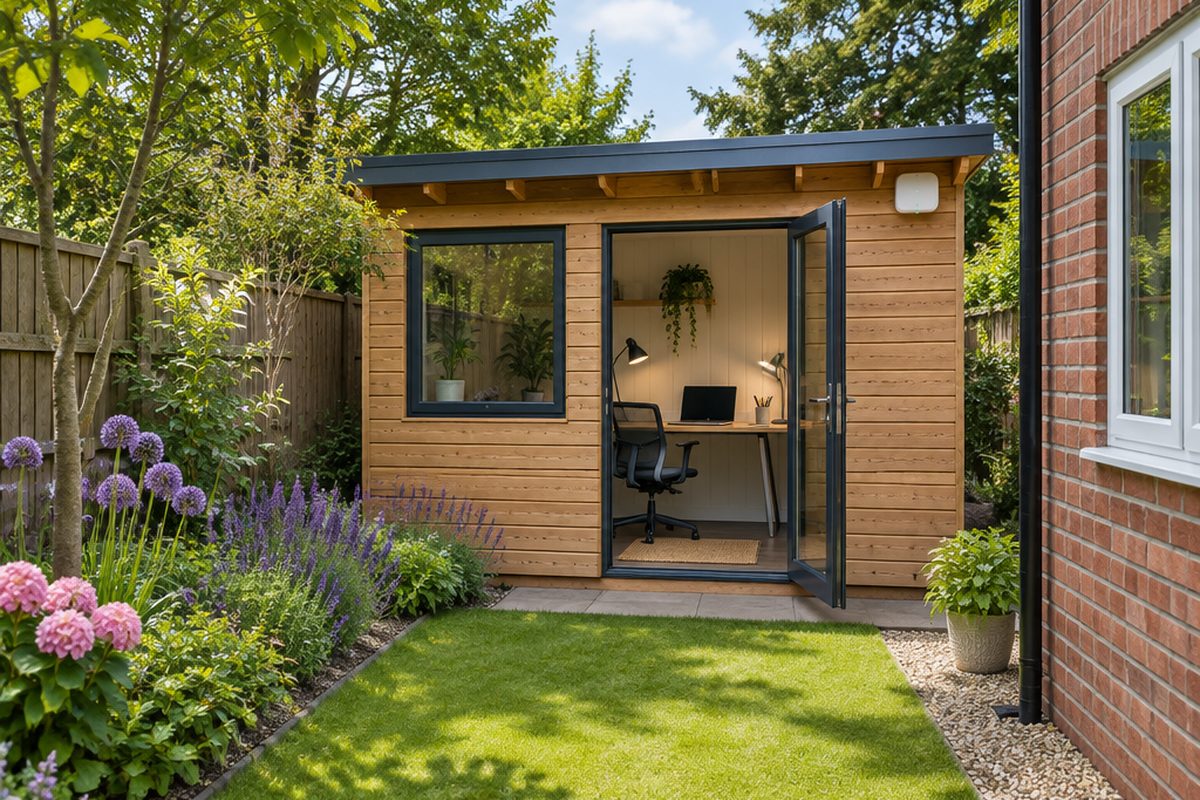
Garden offices sit at the worst end of your Wi-Fi: outside, behind an exterior wall, often behind foil-backed insulation that blocks signal very effectively. Moving the router closer rarely works. The reliable approach is to carry the connection to the building properly and then give the room its own Wi-Fi. There are three ways to do that, and which one suits you depends on the distance and how much digging you are willing to do.
As an Amazon Associate I earn from qualifying purchases. The buttons below go to Amazon, and I may earn a commission if you buy, at no extra cost to you.
The kit you need
Outdoor-rated Cat6 cable
The best option if you can run it. Outdoor cable has a tougher, UV-resistant jacket. Buy a length with plugs already fitted, longer than you think you need.
Our pick: GEARit Outdoor Cat 6 Ethernet Cable 30m
Wi-Fi access point
Plugs into the cable at the garden office end and gives the room its own strong Wi-Fi.
Outdoor wireless bridge kitoptional
A pair of small dishes that beam the connection from the house to the office. The answer when a cable is not practical and you have a clear line of sight.
Our pick: UeeVii Gigabit Point to Point Wireless Bridge
Powerline adapter kitoptional
Works only if the office's power comes from the house's consumer unit. Worth trying first if you already own a pair.
Our pick: TP-Link TL-PA717 Powerline Kit
Conduit or cable clipsoptional
Protects the cable along a fence or wall and keeps the run tidy.
Our pick: Abnii Cable Clips
Step by step
Pick your route
Cable is the most reliable and works up to 100 metres. A wireless bridge suits a clear view between the house and the office with no cable route. Powerline is the quickest to try, but only works if the office is wired from the house's own fuse box, and results vary. If in doubt, choose the cable.
Cable: plan and run it
Measure the route from the router to the office, following fences and walls, and add several metres spare. Clip the cable along a fence or run it through conduit. Bring it into each building through an existing hole, such as beside another cable, or drill a hole sloping slightly downwards to the outside so rain cannot follow it in, and seal around it.
Cable: connect both ends
Plug the house end into a spare port on your router. Plug the office end into the access point. If the access point is powered over the cable, fit the small power injector that comes with it at the house end.
Bridge: mount and aim the pair
Fix one unit on the house wall facing the office and the other on the office facing back, with nothing solid between them. Connect the house unit to your router with a cable. Most kits arrive already paired, with lights that show signal strength as you adjust the aim.
Powerline: test before you rely on it
Plug one adapter into a wall socket by the router and one in the office. If the lights show a link, run a speed test. If there is no link, the office is on a separate supply and you need one of the other two routes.
Set up the office Wi-Fi
Set the access point up with its app. Using the same network name and password as the house lets your devices move between the two without reconnecting. Run a speed test at the desk to confirm the result.
Handy extras
Not essential, but people often pick these up at the same time.
- Outdoor Wi-Fi access point
- Waterproof Ethernet coupler
- PoE injector
- Long masonry drill bit
- Exterior sealant
- Cable conduit
Common questions
Can I use ordinary indoor network cable outside?
It will work at first, but sunlight makes the jacket brittle within a few years. Outdoor-rated cable costs a little more and lasts.
Would a Wi-Fi extender in the house do the job?
Rarely. An extender still has to push signal through the house wall, across the garden and through the office wall. It tends to give a connection that shows full bars and performs badly.
Do I need an electrician?
Not for network cable, which carries very low voltage. Any new mains wiring to an outbuilding is a different matter and should be done by a qualified electrician.
More guides
 How to set up mesh Wi-Fi to fix dead spots in your home45 minutesFix weak Wi-Fi upstairs or in the back room with a mesh system. What to buy, where to put each unit and how to set it up with your existing router.
 How to stop your TV buffering when you stream30 minutesFix a smart TV or streaming stick that keeps buffering. Work out whether the problem is the Wi-Fi or the TV, then fix it with a cable or a better stick.
 How to set up a home NAS to back up your photos automatically2 hoursSet up a two-drive NAS that backs up your phone photos and computer on its own, with a simple plan for an offsite copy.